Links that open your app on the right screen
On iOS and Android, a link opens your app at the path you set. Anywhere else it goes to a web page you choose. Every tap is counted, we host the association files, and it's free on every account.
links.startupaid.org/l/kora/aX9k2POST /v1/deeplinks { "title": "Order shipped", "fallback": "https://koracoffee.com/orders/8921", "appPath": "/orders/8921" } // → { url: "https://links.startupaid.org/l/kora/aX9k2" }
Setting it up
You do the first two once per app. After that, making a link is a single API call.
1. Tell us about your app
In the dashboard under Deep Links, enter your iOS App IDs and your Android package name with its SHA-256 certificate fingerprints. We generate apple-app-site-association and assetlinks.json from them and serve both on our link domain.
2. Add the link domain to your app
The same page shows the exact Associated Domains entry for iOS and the intent filter (with your path prefix) for Android. Copy them into your project and ship a build.
3. Create links
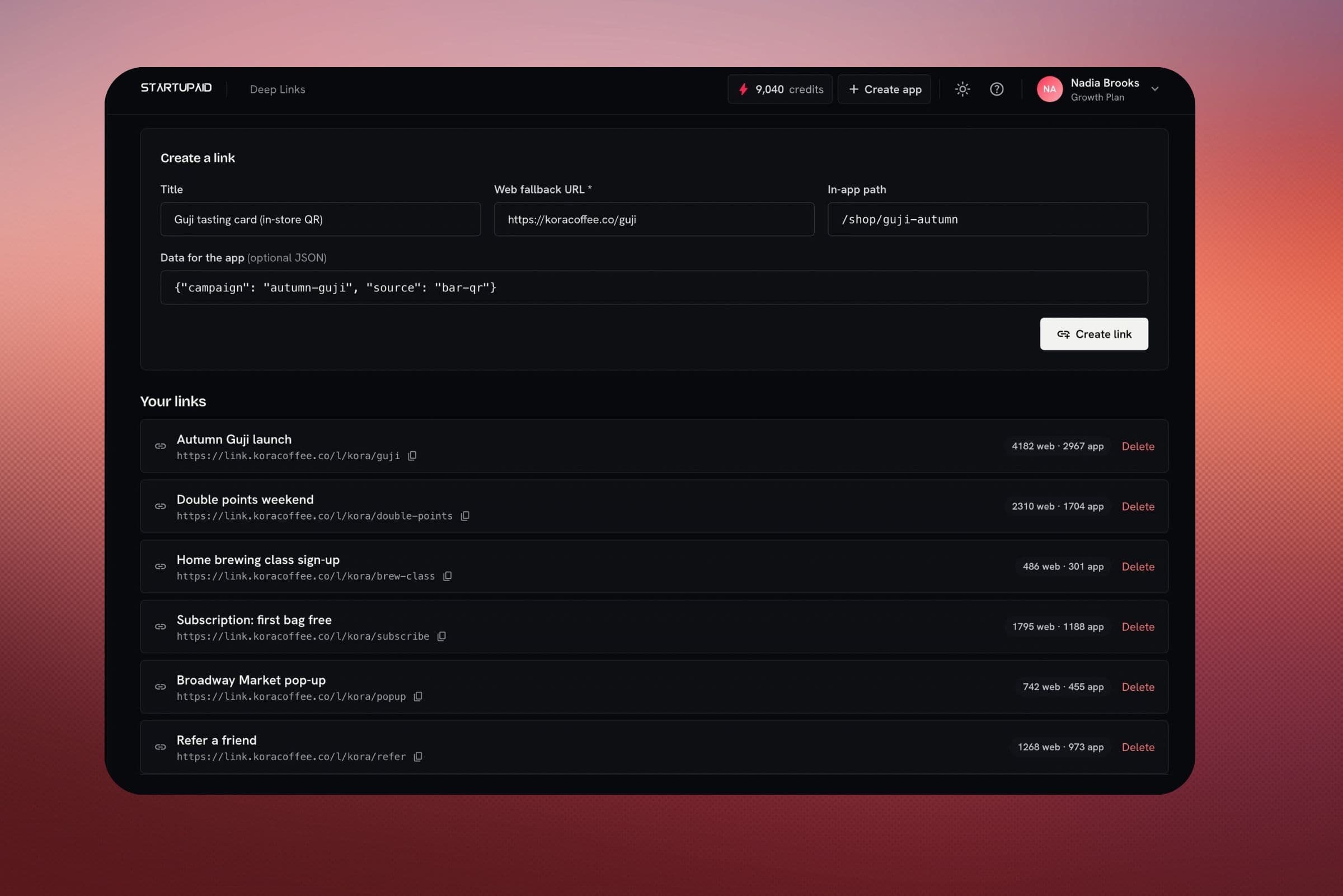
From the dashboard, from POST /v1/deeplinks, or from an AI agent through the create_deep_link tool on our MCP connector. Each link has a title, the in-app path, an https fallback URL and optional JSON data.
4. Read the link when your app opens
Call /l/:key/:slug/resolve and route to the appPath it returns. That call also records an open.
What happens when someone taps a link
- The app is installed
- iOS or Android opens your app directly, without going through a browser. Your app calls resolve, gets the appPath and data, and we count an open.
- Not installed, or on a desktop
- The link loads in the browser. We count a click and redirect to your fallback URL, which has to be https.
Most links go out in email and push sent from the same account: an order email that opens the order screen, a push that takes someone back to an unfinished checkout, a promo that opens the offer in the app and the landing page on desktop.
API endpoints
App setup happens in the dashboard. Links can be created and managed with your API key.
/v1/deeplinksCreate a link with an in-app path, an https fallback and optional data. Returns the link URL./v1/deeplinksList your links with their click and open counts./v1/deeplinks/:idDelete a link./l/:key/:slug/resolvePublic, no key. Your app calls it after opening to get the path and data.Common questions
They're how iOS (Universal Links) and Android (App Links) open an app from an ordinary https:// link. The OS checks that your app is allowed to handle the domain, then sends matching links to the app instead of the browser. If the app isn't installed, the link opens in the browser as usual.
Yes, a little. Add our link domain to your iOS Associated Domains and your Android intent filters, and read the link when the app opens. The dashboard gives you the exact snippets. We host the association files and resolve each link.
No. Links are served on our link domain, and we host the association files there for every account. Using your own link domain is on the roadmap.
When a link opens in a browser (desktop, or a phone without your app) we count a click before redirecting to your fallback. When your app opens the link and calls resolve, we count an open. You see both per link.
Nothing. Deep links are free on every account and share the dashboard and API key with email and push. Requests are rate-limited to stop abuse.
The other products on the same account
They share one API key, one dashboard and one event stream, so adding one later doesn't mean another vendor or another integration.
- AI ReceptionistAnswers your phone and your website chat from your own facts, and puts customers through to you when they need a person.
- Email & AutomationTransactional and marketing email from your own domain, with automations and delivery tracking. 5,000 emails a month are free.
- Push MessagingiOS, Android and web push from one send call, using your own keys. Free, with no volume cap.
- Currency ConversionRates for 230+ currencies across fiat, crypto and metals, with your own spread and the rate's timestamp on each conversion.
- Social AutomationSchedule posts to X, LinkedIn, Threads, Instagram, Facebook, YouTube and TikTok, or publish them from your own code.
- AI VideoTalking videos, re-voiced screen recordings, narrated decks, short films and single clips, made with StartVid, our own presenter model, or Veo, Seedance and Kling.
Set up deep links for your app
Enter your app IDs once, then create links from the dashboard, the API or an AI agent. Put them in the email and push you already send.
Deep links are free on every account.